In Vegas for a Week


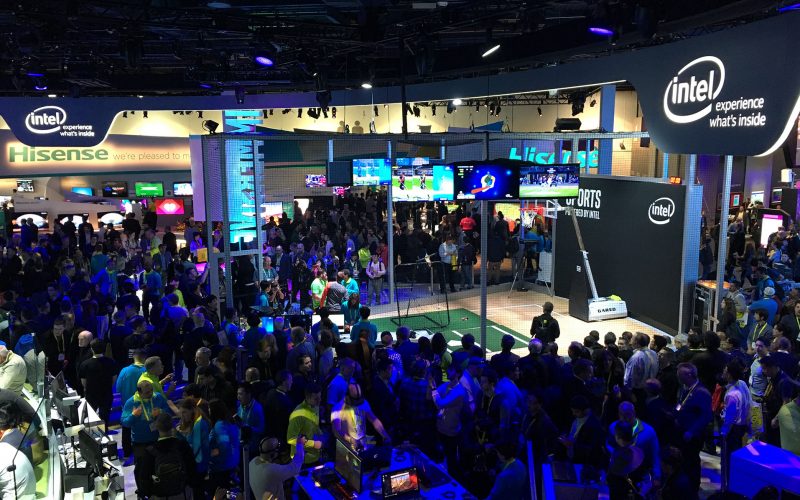
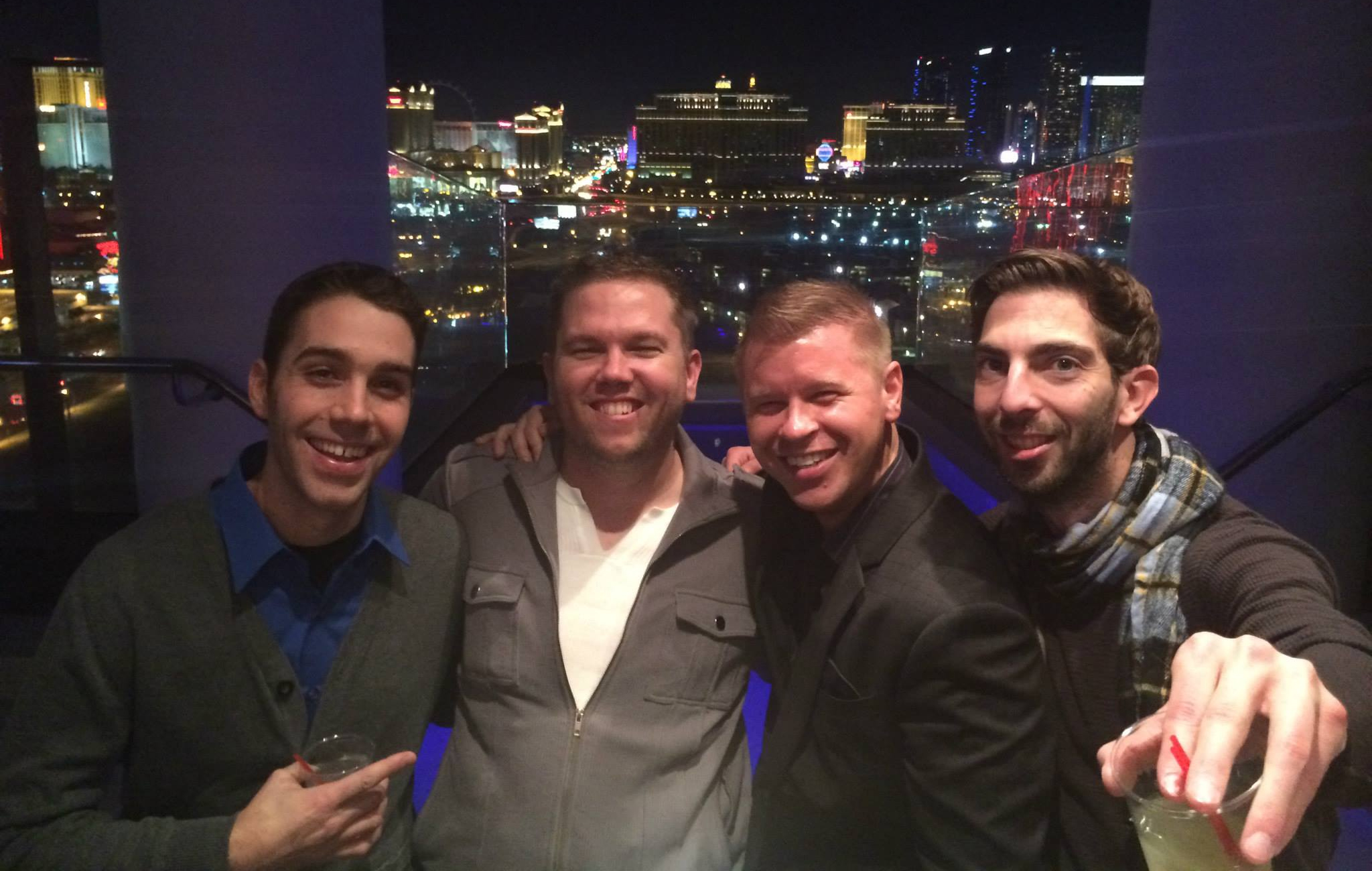
Well it’s that time of year again, off to Vegas for CES. This trip is always a lot of fun and it sure gives me a break from all of the holiday madness of the past month. It also is good to get out of Pittsburgh and the cold, although it is only around 50 degrees in Vegas it is sure a lot better than like 15-20 degrees in Pittsburgh, and there is no snow!

Getting through the Pittsburgh airport was very easy, there was no line at the security check at all. We went right through and were in the terminal within 10 minutes. Instead of going right to our gate Colin and I decided to grab food so we stopped in O’Briens, which is sort of like an Irish Pub. The food wasn’t that bad, I got a steak salad.

Once we boarded our plane we seriously waited for over 30 minutes waiting for them to load luggage on to the plane. After that our plane had to be de-iced, which took another 15 minutes. Takeoff was a little bumpy, but we are finally up in the air.

If you want to track my trip you can easily do that by following me on Twitter, friending me on Facebook, following my Flickr stream, or just by checking back to this blog. Also if you want to meet up when you are in Vegas please email me or shoot me a message on twitter.

I am in Vegas for CES, which I go to every year for ThinkComputers so make sure you follow the ThinkComputers twitter account as well.

Tracking Events on Twitter

I have been using Twitter for quite some time now and I really did not find out its potential until a few months ago. Many people think that Twitter is just for seeing what your friends are up to or in my case seeing what I’m having to eat, but it is really a useful resource for tracking current events and things that are going on right this minute. This is really where you see the power of Twitter and why hashtags are extremely useful.

A few months ago when the G20 was happening in Pittsburgh there was sure a lot going on in the city. There were many demonstrations, riots, and other interesting things going on. When everything first started happening I really did not have any urge to go downtown and check things out. So since I am on the computer a lot I loaded up Seesmic Desktop and put in #G20 and #Pittsburgh in a search column and the tweets that included those hashtags started coming up. As the G20 started getting closer the more and more tweets came up, I saw pictures of blackhawk helicopters over the city, pictures of protesters, etc. It was very cool, and more informative than the news about the G20 that was on TV.

As one of the first protests was getting broke up by riot police twitter was going crazy! People were explaining it as it was happening and telling people who were stuck in the crossfire where to go. Reading all of these tweets I felt like I was really there in all of the action! It was like I was in a war room overseeing the battle! Like I said it was better than watching the news!

I finally decided to go down to check out the action the second night of the protests. With my iPhone I was able to still track the hastags and found out where the protests where happening and was able to know where to go to be safe and out of the line of police, who were basically taking arresting anyone who was out that night.

This really shows what a useful resource Twitter is and how it can keep you safe! It will be fun to track things going on at CES when I’m there in just a few days!

My 2009 Year in Review


Wow it’s 2010! Not only a new year, but a new decade! This past year was a very good year for me, there were all kinds of ups, downs, and in between’s. If you have a blog you know how great it is that you are able to look back on things you have done and be able to see the good times, reflect on your mistakes, and just remember some things you may have forgot. So here is my 2009 year in review, hope you all enjoy it!

2009 started off like most year’s with my trip to Las Vegas for CES. Some of the highlights from that trip were the Night before CES Party, IANteract Dinner at Rum Jungle, and the PC Race for Charity. While in Vegas I also experienced my first In-N-Out Burger! It’s the best fast food ever!

The Steelers won their 6th Super Bowl! They have won more Super Bowls (6) than any other NFL team! I talked about being productive on the road. It is very important, the first couple times I tried to do work while on the road it did not work out so well!

I’m really hate negative people and I hate when I get in a negative so I gave you some ideas about how to get out of a negative mood. Celebrating St. Patty’s day in Pittsburgh is something I think everyone should experience, it was so much fun! Crazy Mocha is a local Pittsburgh coffee company and I started going there a lot.

It is always nice to get out of town, so I took a small trip to Great Falls Park and Washington, DC. I definitely need to go back there soon! As many of you know I’m a big hockey fan so I went to Pittsburgh’s first NHL Tweetup. I discovered another great sushi place, Sushi Too in Shadyside. When you work online your income streams can change a lot so I let everyone know what was making me money in 2009.

Twitter really exploded in 2009 and I showed you how to easily get 1000 followers. Brand recognition is very important and I talked about how to get that brand recognition. Star Trek was a big movie in 2009 and I gave you my thoughts on it.

The Pittsburgh Penguins have been building their team for the past few years and it all payed off when they won the Stanley Cup this past year! Since I’m a hockey fan I went crazy! I was out that night too and Pittsburgh was sure a party city! Working from home can be annoying so I told you some of the things I do to escape.

Since the Pens won the Stanley Cup they had a parade downtown, you know I wouldn’t be missing that! I moved once again, this time to a more urban area very close to the city, I really like my new apartment. I was invited to Pittsburgh’s first TasteCasting at Melange Bistro Bar and it was great. I was able to give myself a vacation this year. I went to Myrtle Beach with some friends and it was a blast!

I turned 25 this year and it really gave me some time to reflect on the past 5-10 years of my life. Over the past year I really started getting into tea and now I drink it almost daily. I went to another Pittsburgh TasteCasting, this time it was at Castaways Outside Inn.

The G20 Summit was held in Pittsburgh this past year and those few days were full of surprises. It was definitely a once in a lifetime experience! I started using Seesmic Desktop in 2009 and I’m still using it. The best twitter app that I’ve ever used! This summer was really a fun one for me and I did so many things, Labor Day weekend was no exception!

I finally attended PodCamp this year in Pittsburgh and it was definitely worth it! I can’t wait to go next year! I hung out quite a few times at Schenley Plaza over the summer, it is a great place to relax and even work since they have WiFi! I did some maintenance on the blog and I changed the header image to ones that rotate every hour with different sayings on them.

bit.ly is a great URL shortening service and I use it basically every day. ThinkComputers finally got a new redesign and we moved the site over to Wordpress. It was an annoying process, but totally worth it! Everyone likes ThinkComputers so much better now!

Well that was my year, crazy to think that I’ve been blogging since 2005. Here is to 2010!

bit.ly and Why I Use It


If you have not heard of bit.ly I’m sure you have seen a bit.ly link around somewhere. Bit.ly is a URL shortening service that allows you to take large URL like this: http://www.thinkcomputers.org/kingston-mobilelite-g2-usb-card-reader-with-8gb-sdhc-card-review/ and turn it into something like this: http://bit.ly/6IBH75. So what is the reason to shorten a URL? URL shortening makes it easier to remember URL’s, but I really never used a URL shortening service until twitter. With Twitter you only get 140 characters to send your message so why would you want most of your message to be a URL? That’s where URL shortening comes in, to cut that long URL down so you have more room to explain what you are linking to.

There are tons of URL shortening services out there, but why do I use bit.ly? When I first really started using URL shortening services I mainly used HootSuite’s ow.ly URL shortener, which I did like very much. It has stats tracking and everything, but there was a problem. When you would go to an ow.ly link there was a toolbar at the top of the page. This really did not bother me at first, but when I was listening to a podcast someone said that when they see a toolbar at the top when clicking on a shortened URL they immediately would close the page, no matter what it was. I thought if one person thought that way there has to be more people like that as well. So I was looking for a new URL shortening service and I found bit.ly.

Bit.ly is very simple and easy to use. You can easily goto their website and create a short URL, but bit.ly also has an API so it is built into many Twitter applications and Twitter actually uses it as their official URL shortener. You do not need a bit.ly account to use bit.ly, but if you want to track clicks you will have to create one. Once you have an account every bit.ly link you create with your account is tracked. When you login to bit.ly it will list all of the short URL’s that you have created. Beside each link you will be able to share the link, copy the link, check the info on the link and delete the link.

When you click on each link to that a look at the info for the link it will give you all the information you would want to know about the link including a graph of clicks, referrers, and locations.

Another great thing to check out is your Bit.ly click summary. It will show summary graphs of all of your clicks for the past 7 or 30 days. This is great because it shows what days get the most clicks, your referrers, and the locations of where the clicks are coming from. This gives you an outlook on where your traffic is coming from and when to best post content.

If you are looking for a new URL shortening service then check out Bit.ly.

ThinkComputers now on Wordpress!


You notice I have not updated this blog in quite sometime. That is because over the past 2 months I have been working on ThinkComputers like a mad man! ThinkComputers has been run on a flat-file system since I started it back in 2001. We used a simple PHP script to pull pages and help with navigation. Although the site layout has changed a few times, the backend if that’s what you want to call it has been the same. What this meant is that I had to code every review myself and hand code all of the index pages and even the XML file for the RSS feed. This was all so time consuming, so I knew the next thing to do was move ThinkComputers over to a database-driven system that did most of the hard work for me.

Why Wordpress?
Many people have asked me why I picked Wordpress instead of something like Joomla or Drupal. The main reason is because I’ve had previous experience with Wordpress and I understand how it works. Of course this blog is running Wordpress so I’ve been familiar with it for quite some time. Also it seems that Wordpress is constantly getting updated and made better, you don’t want to base your website off something that might not be developed for that much longer. The thing that really sold me on Wordpress was all of the addons that can be used with it. If you want to add a feature to your website there is probably a Wordpress addon or plugin for it. So I decided on Wordpress!

A New Layout Too!
If you have been to the site lately you can see it looks nothing like the old site at all. After many days of looking for a good theme and considering getting a custom theme I finally found a theme that I though would work, but it would need a lot of hacking for it to really work for ThinkComputers. One thing I really like about the new layout is the 4 “featured” placements on the top of the site. This allows us to features articles that might get burried in the front page. Another thing that really makes the site different from previous versions of the site is that it only has 2 columns now, not 3. This was a hard decision for me to make, but I think the 2 column design makes it easier to read the actual reviews.

Less Ads
This new layout does one thing that we have gotten complaints about for quite a long time, that is the ads. The old layouts had ads all over them. With this new layout we have 3 main ad placements (728 x 90 on the top, 300 x 250 on the right, and 160 x 600 on the right). We will occasionally throw ads in the reviews themselves but they are for the most part ad-free. You will notice at the top and bottom of each review there are Just Relevant ads. We first had them at the bottom of each review, but then decided to add them at the top as well as our clicks were down ALOT! The top section of each review was custom coded by me and the Just Relevant ads are dynamically generated by using a custom field in each post. That way I don’t have to make up an ad for each review. If there is not an ad to display it will play a default ad from another network. I also coded all of that myself.

Disqus Comment System
Instead of using Wordpress’s built-in comment system I opted to use Disqus. I had heard about it for quite a while and wanted to give it a try. The main reason for this is that with Disqus you can post comments with your facebook login, twitter login, OpenID, Disqus login, or post as anonymous. I trusted that Disqus was a good platform since large sites like Mashable were using it. So far I am very impressed with Disqus, it makes it very easy to moderate comments and it very feature rich with the widgets they offer as well.

New Hosting
ThinkComputers was hosted on a server we had Co-located at a local datacenter. This server has been there for a few years now and is not that powerful. When we first setup the server I had a friend install everything on it, but lately he has not been around so there is VERY old software on it. Once we switched the site over to Wordpress the server completely crashed! If you know anything about Wordpress you know it is a resource hog and our server just couldn’t handle it. I considered getting another server, but that would cost a lot and as I said I really didn’t have anyone to set it up for me and manage it. So since the site was down I hurried up and went with a normal hosting company. They provided me with a semi-dedicated server and once we moved everything to there the site loaded, but load times were very slow. Sometimes it would like 30 seconds to load a page, which was not acceptable. Since the site was at least functioning I did some research and came across The Rackspace Cloud. It seemed that many people were happy with their service and they had a 30-day money back guarantee so I decided to give them a try. Everything about their service was superior to the previous host and pages load extremely fast! If you have a high traffic blog I would really recommend The Rackspace Cloud, I am very satisfied so far!

Makes things easier!
So as I said the old site was a flat-file system so once I completed a review it would take a good hour to get it posted on the site, now it takes maybe 20 minutes? This extra time allows me to do other things with the site and make it even better. Also not having to write the RSS feed, review index pages, and main page by hand is really nice. Everything is automated and its such a relief to finally be on a system like this. Also Wordpress makes SEO, indexing and linking to our page easier. This is probably one of the biggest updates to ThinkComputers and I’m relieved that it has been completed. It has been one crazy month!

Merry Christmas Everyone!

Blog Sponsors

SponsoredTweets referral badge

Feeds


    Subscribe to my RSS Feed


Categories

Photos

Recent Comments

  • tooth whitening: It is what pho broth should be. So then on this rare occasion, I finished this huge bowl of pho...
  • Bob Buskirk: Yeah I’ve been getting it regularly in my Pho since the summer!
  • Michael Kwan: I’m glad to see that you are broadening your horizons. Told ya that tripe was good. :)
  • used tires: Congrats on getting mentioned in the NYT. Makes it all the more special given the subject matter of your...
  • Net Age: Am I missing something here, Personalised Gifts? Your comment has just thrown me the ultimate curve ball....

MyBlogLog