
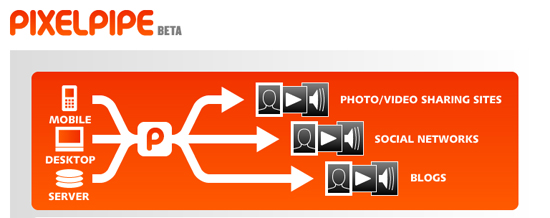
Well since the Pano iPhone App did so well and I got a lot of feedback on it I decided to post about another iPhone App that is quite handy. My buddy Colin told me about this app and I really like it, it is called Pixelpipe. What it allows you to is upload photos to Pixelpipe then it will distribute it to all of the services you use like Facebook, Flickr, Brightkite, Twitpic, etc. What’s great about this app is that it’s free and it not only works on the iPhone but there are apps for Android and Nokia N Series phones. If you are stuck on a Blackberry you can still use the service via MMS and E-mail.
The first thing you are going to want to do is get the app on your iPhone then setup an account, you can do that either via your phone or the web. Once you have your account setup you can add pipes. Pipes are services that you use like Flickr and Picasa. Pixelpipe supports pretty much every services you can think of, you can even set it up to post photos directly to your blog. You can also setup pipes via the app or the web.
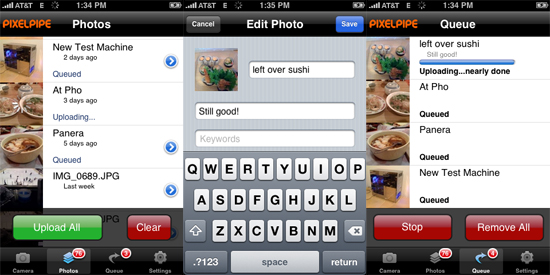
Once you have all your pipes setup you are ready to start uploading. You might want to go into the settings and change some things. You can change the photo size and setup default keywords. If you tap the photos tab at the bottom you will shown all of the photos in your album. If you tap the arrow you can go in and name the photo, add a caption and add keywords, these will all be saved. Once you save everything you can select the photo by taping it. Tap all the photos you want to upload then tap the upload button. Your photos will then be uploaded, you can check the progress in the queue section.
There is really not much to complain about with this app, the only thing I don’t like is that for Facebook it wants to create a new album called Pixelpipe for the new photos instead of putting them into the mobile uploads album. If anyone has used this software and knows how to change this let me know! For a free app this is a great addition to your catalog of apps and easily allows you to upload photos to all of your services at once.