
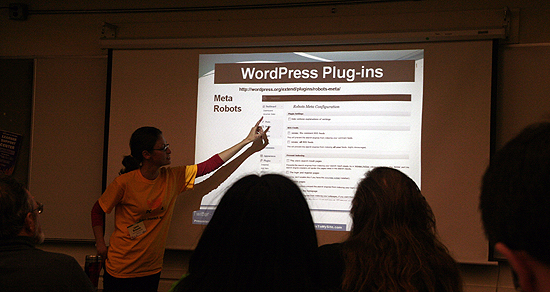
While at PodCamp Pittsburgh 4 this past weekend I was able to attend Jami Broom’s session on SEO for WordPress. Jami is an Internet Marketing Strategist at ClicksToMySite.com. I already know a lot about SEO, but I figured I would sit in on the session to not only learn more, but share what I learned here on my blog.
Permalinks and Robots.txt
What SEO is all about is making it easier for search engines to find your content. Not only that, but for you to rank higher in the search results. One of the easiest ways to do some easy SEO with WordPress is to change your permalink structure. On a normal install WordPress will by default have your permalink structure like thisL https://bobbuskirk.com/?p=123. That is not a good permalink structure for search engines. To change this go ahead into your WordPress admin panel and go to Settings -> Permalinks and you are given the option to change the permalink structure. Right now I am using the custom option on this blog with this as my structure /%postname%/ which seems to be the standard for many blogs. Jami also pointed out that if your site does not have a robots.txt file you should create one. The robots.txt file basically tells search engines what part of the site they can index. A basic robots.txt file should look like this:
User-agent: *
Disallow:
Keywords
Keywords are extremely important on any website or blog. They allow search engines to know what your website is about and provide better navigation for your users. I know from experience that keywords can really help with your search engine traffic. About 2 years ago on ThinkComputers the title of every page was just ThinkComputers.org, obviously that is horrible for SEO. Now if you go to any review on the site and look at the title it is the product being reviewed. This way when someone searches that product in Google we come up in the search results. We have seen our traffic from search engines go from 20% to 60% in just a short time and of course a large increase in traffic because of this. So when you title your posts make sure that reflects what you are talking about in them. To make sure your keywords are effective make sure you have something like Google Analytics installed to track keywords.
Plugins
Now that you know a little bit about SEO let’s make it a little easier for you. If you are running WordPress there are many plugins that will improve your SEO automatically. Probably the most popular one out there would have to be the All-in-One SEO Pack. I use this plugin and it works great! Some of the other plugins that Jami mentioned were Google XML Sitemap, which will create a Google sitemaps compliant XML-Sitemap of your WordPress blog. SEO Friendly Images which automatically updates all images with proper ALT and TITLE attributes. Redirection manages 301 redirections, keeps track of 404 errors, and generally tidys up any loose ends your site may have. There are a ton of other SEO plugins out there as well. Another helpful plugin that Jami talked about was Google Analyticator, which adds the necessary JavaScript code to enable Google Analytics logging on any WordPress blog. They way if you don’t know much about editing your blog template this is the easy way to get Google Analytics running on your blog.
Content is King
Even though SEO is very important you need to remember that your content is very important. People are not going to return to your site if you barely have any content on it. Also the more content you have on your site the more posts there are for the search engines to index. So essentially the more you write the more you are getting your site out there and noticed by search engines.
Thanks to Jami for leading the session on SEO!