
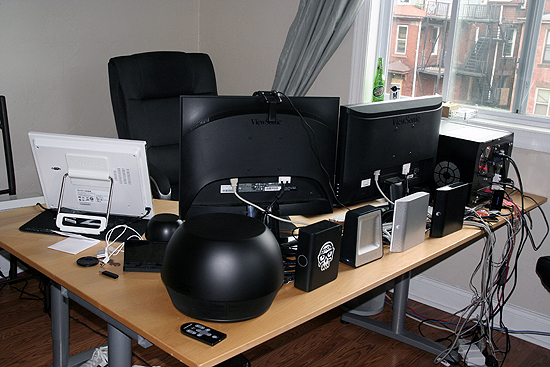
Since moving into my new apartment in May I’ve had to make a small yet very effective change to the way I had the office setup. Originally I had my desk facing the wall where I could look out the window. This worked well for a while, but I guess I just got tired of it. Also it really wasn’t like I was able to really look out the window because my 2 LCD monitors were in the way. So I decided to turn my desk and have it facing out towards the other side of the room. This way it makes it so I have my own area and if I’m ever stressed out at work I can just look to the left and check out what’s going on outside.
When organizing my desk I wanted it to be as clean as possible, but with all the cables for my 4 external hard drives, 2 monitors, and other devices I knew it would be pretty hard. So I thought about it for a little while and came up with what you see above. I have arranged all 4 hard drives on the desk so they hide all of the cables running behind the monitors. This not only keeps things neat, but having all 4 drives standing up looks pretty cool and people always ask me about them if they come into the office. I had quite a large space on the right side of the desk for review items, as you can see I have the Shuttle X50 sitting there right now, check for a review of that very soon on ThinkComputers.
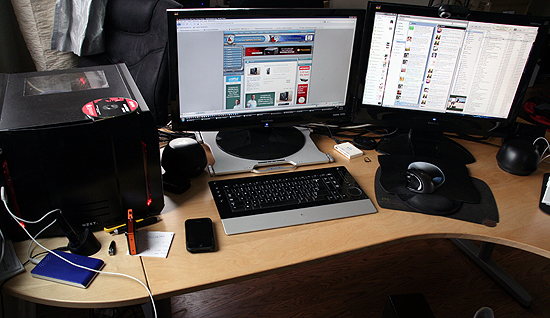
I am using 2 ViewSonic LCD’s but one was a bit taller than the other so instead of using a large book or something to keep them inline I decided to use the LUXA 2 notebook cooler I recently reviewed. It not only lifts my LCD off the ground, most of the wires are tunneled under the back of it for some pretty good wire management.
As I said having my desk this way makes it like I have my own area in the office, sort of like my own cubicle. This enables me to really get down to work and concentrate on what I’m doing. If someone really wants to bother me they have to walk around to the other side of the desk. So I’ve been able to get more work done and be more efficient, all because of simply rearranging my desk!