
Using Netvibes to Organize Your Life

Aug
2007
13

posted by on The Net

19 comments


Running your own business is not an easy thing. It is so easy to get off task and even forget the important things you need to do. I have gone through making daily task lists, putting everything into outlook, and even considered getting a PDA. But before I wasted the money on a PDA I found Netvibes. Netvibes is sort of like your own personal homepage. You can move everything around on it, add modules, add widgets, add RSS feeds, and much more. I am using it as a daily task list / organizer and it has been working really well.

Here is what my personalized homepage looks like. Click on the image for a full sized screenshot.
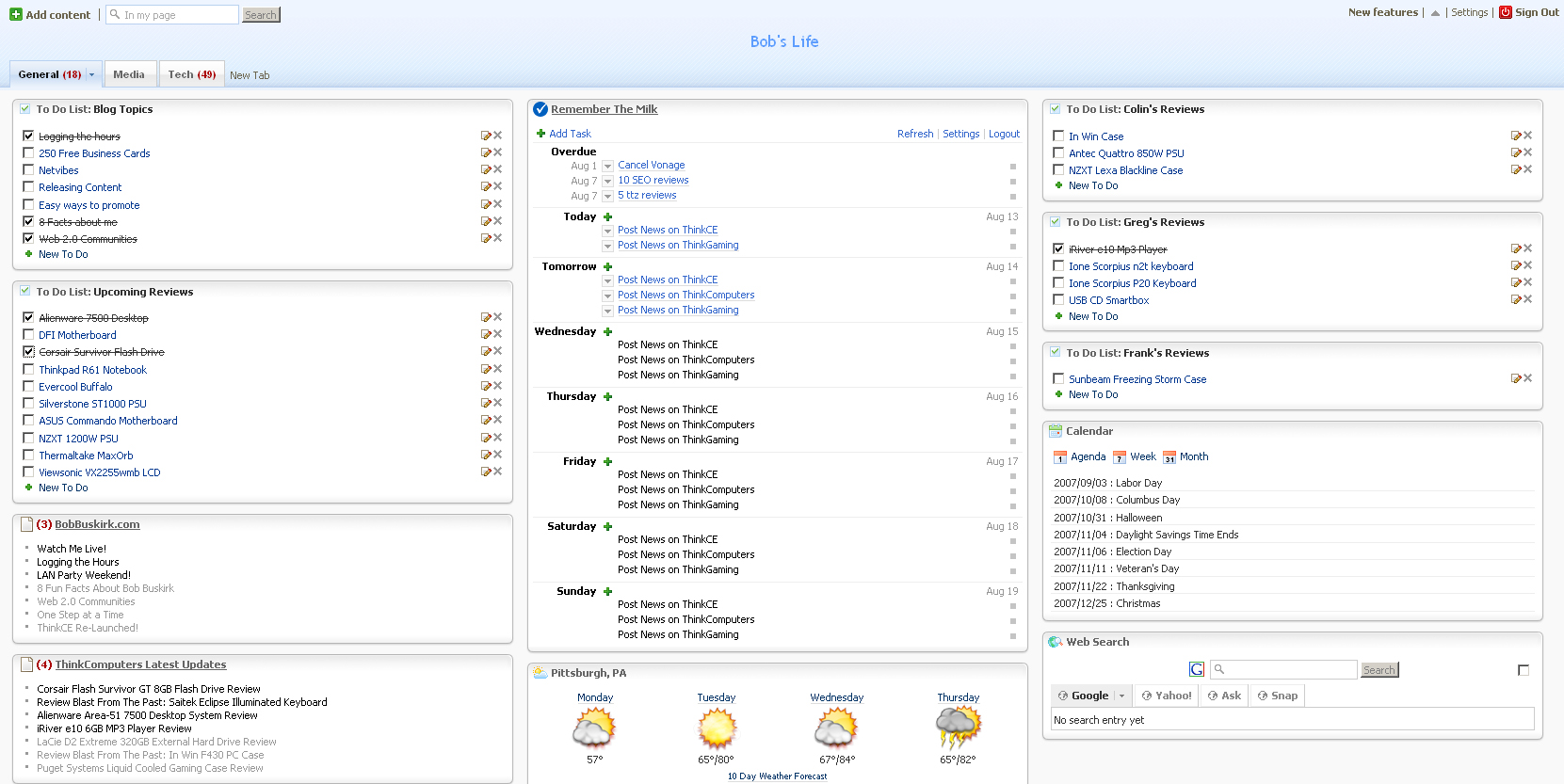
As you can see in the center I have my daily tasks organized by day and below that I have the weather. On the right side of the page I have a list of blog topics that I want to write about and a list of upcoming reviews that I need to write. Below that I have RSS feeds for all of my sites. On the other side I have a list reviews that each one of my reviewers need to finish. This way I can keep track of what all they need to get done. Below that I have a calendar and web search.

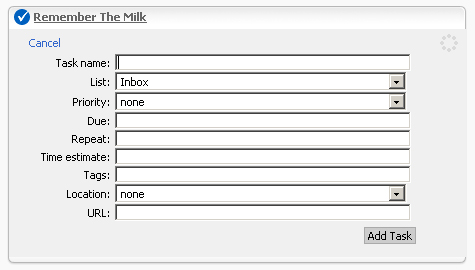
As you can see I’m using a widget called Remember the Milk. Netvibes only offers a To Do List which is helpful, but I cannot have reoccurring tasks, so I am using Remember the Milk. You can setup a free account on their website then add the widget onto Netvibes. I really like it and I can organize things by the type of task as well, like work, personal, study, etc. Also I can set things at a higher priority than others.
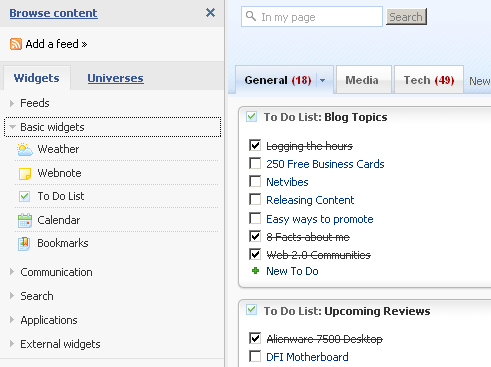
Adding things to Netvibes is very easy. Just click on the add content button at the top of the page and you can add a ton of different things. Netvibes does offer basic widgets like weather, notes, to do list, calendar, etc, but there are a ton of widgets in their widget directory. You will find all kinds of widgets like a Digg widget, Myspace widget, and a Flickr widget.
Netvibes is really cool because you can move any of the widgets around anywhere on the screen and just as easily remove them. I also like it because it is online so as long as I have an internet connection I can be on task. The best part about it is that it is free! So if you are having trouble keeping on task or having trouble organizing work than you might want to check Netvibes out.

Related posts:

  1. Backupify – Secure Your Online Life
  2. Do I have a life?
  3. Keeping Track of Things
  4. One Step at a Time
  5. Not Sleeping Well
  • http://www.thewebdevlife.com Ron J

    I saw you on that when I checked our your live web cam. Very nice, I’m going to try it out now.

  • http://www.thewebdevlife.com Ron

    Btw, where can I find that module that you have in the center of your screenshot? For some reason I can’t find it. Thanks.

  • http://www.bobbuskirk.com Bob Buskirk
  • http://www.obsidianprofile.com Sean

    I tried NetVibes a bit ago, but wasn’t entirely impressed.

    I want something like Apple’s Dashboard that brings similar information on top of my screen.

  • http://www.thomasdemaesschalck.com Thomas De Maesschalck

    I never heard about this program before but it seems pretty useful.

    Currently I just create new empty text files on the desktop of my PC and notebook to keep track of things.

  • http://www.rbmods.com BigMan

    I use my head which is a bad choice from time to time.

    Will look into this definetly.

  • http://www.obsidianprofile.com Sean

    I used to do this, but I’m using excel now.

  • http://www.cashforcomments.com CASH for COMMENTS

    Great Idea. I wonder if its just adding more to do than really helping me out.

    @sean Excel might be a good idea.

  • http://www.moneyquill.com Richard – Moneyquill.com

    Nice find there, I had no idea about this. It’ll probably come in handy real soon.

  • http://www.obsidianprofile.com Sean

    It’s a good idea, but no where near as easy to use as Netvibes.

    I’m thinking about programming something for a desktop interface. Maybe interfacing with Netvibes?

  • http://www.bloggersbliss.com Nathan

    Thanks for the info, looks good, and I am sure it will be useful sometime soon

  • http://softsled.net Softsled

    I am testing it out now. It’s great for reading all my feeds and listening to podcasts as well, but there’s something missing. If they could integrate some tools like google has so you could use a text editor/word processor, update your blog(s), check and send email, etc., etc. where you could really use it to get some things done then I can see it becoming very useful. I think google should snap this up or at least expand on the idea.

  • Jamie

    thanks for that!!! i just signed up!! haha hopefully now ill stay on top of everything! :o )

  • http://www.henweekends.net/ Hen Weekend

    I really impressed from your blog.your blog have nice information.thanks for this amazing blog..

  • http://www.henweekends.net/ Hen Weekend

    I was wondering what most people do to organize their lives? I’ve followed up on
    the article listed here and seen a big improvement. What are your favorite tips
    and techniques?

  • http://www.henweekends.net/ Hen Weekend

    practice putting things on
    a table and close your eyes and put them in your minds eye and verbally list
    them.change order and the things you use.practice doing this and soon you’ll be
    able to organize other things in your head .practice is the key

  • http://www.henweekends.net/ Hen Weekend

    As you go through life you will create memories……..create a Box to hold
    these memories add to it as you create new memories. Take a little time when you
    are feeling melencholoy to look through these memories to give yourself a little
    added boost.

  • http://www.henweekends.net/ Hen Weekend

    My recommendation would be to sit down and figure out what your priorities are.
    What is important to you? Then make sure that the things you are doing in your
    life support what is important to you.

  • http://www.henweekends.net/ Hen Weekend

    Thanks for this nice information.your blog is great.